The Note to Seller field enables your shoppers to do exactly what it sounds like: leave a note for you, the Seller. This field is useful for special instructions (like "please don't include an invoice, this is a gift!") or just to let your shoppers say hello when as they make a purchase.
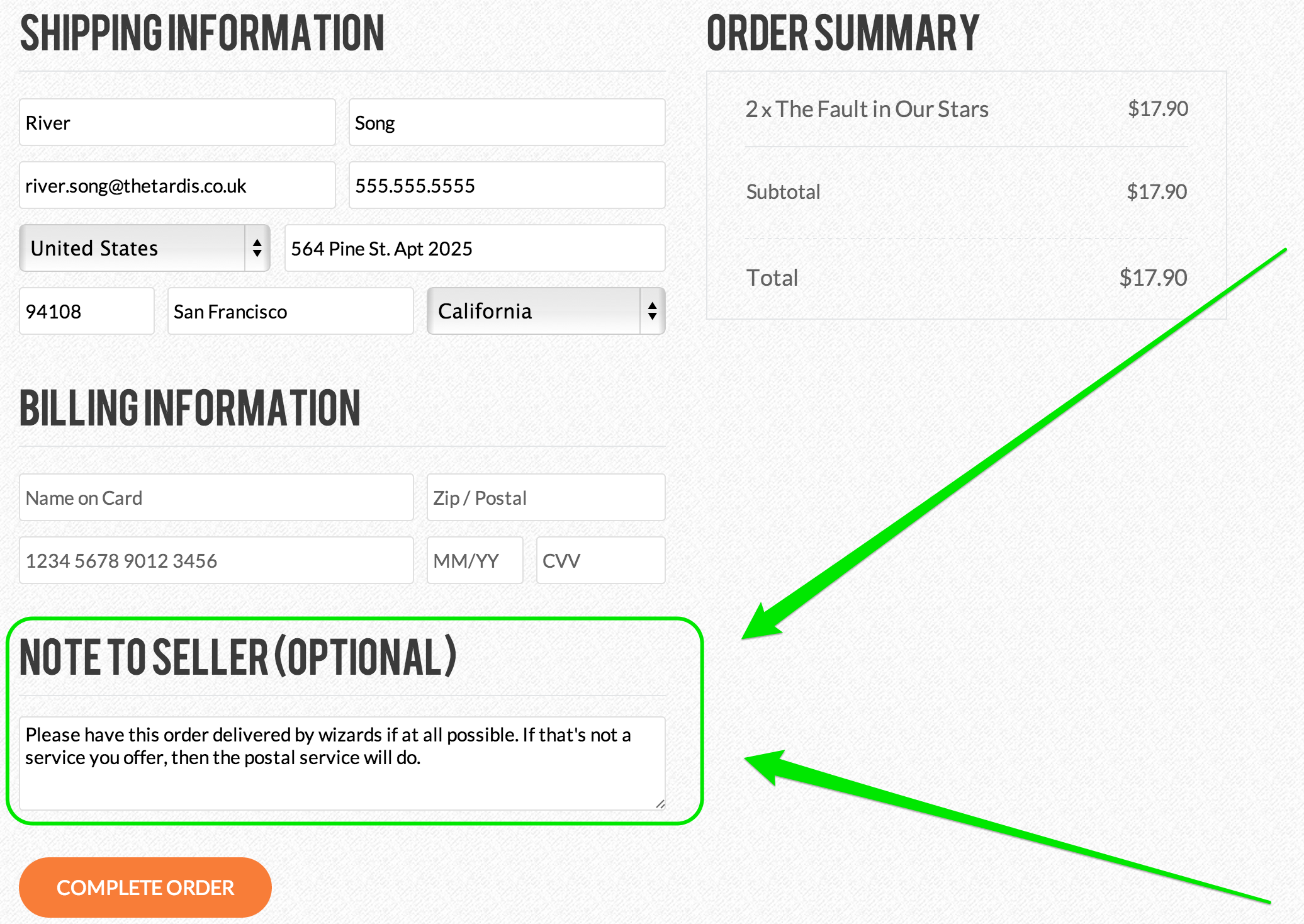
The field appears on the actual payment page and looks like this this:
So far so good. However, this field is not on by default. Which means if you want to use it, you'll need to switch it on for your own store. To do that, go to the Store tab of the editor and choose the Settings section.
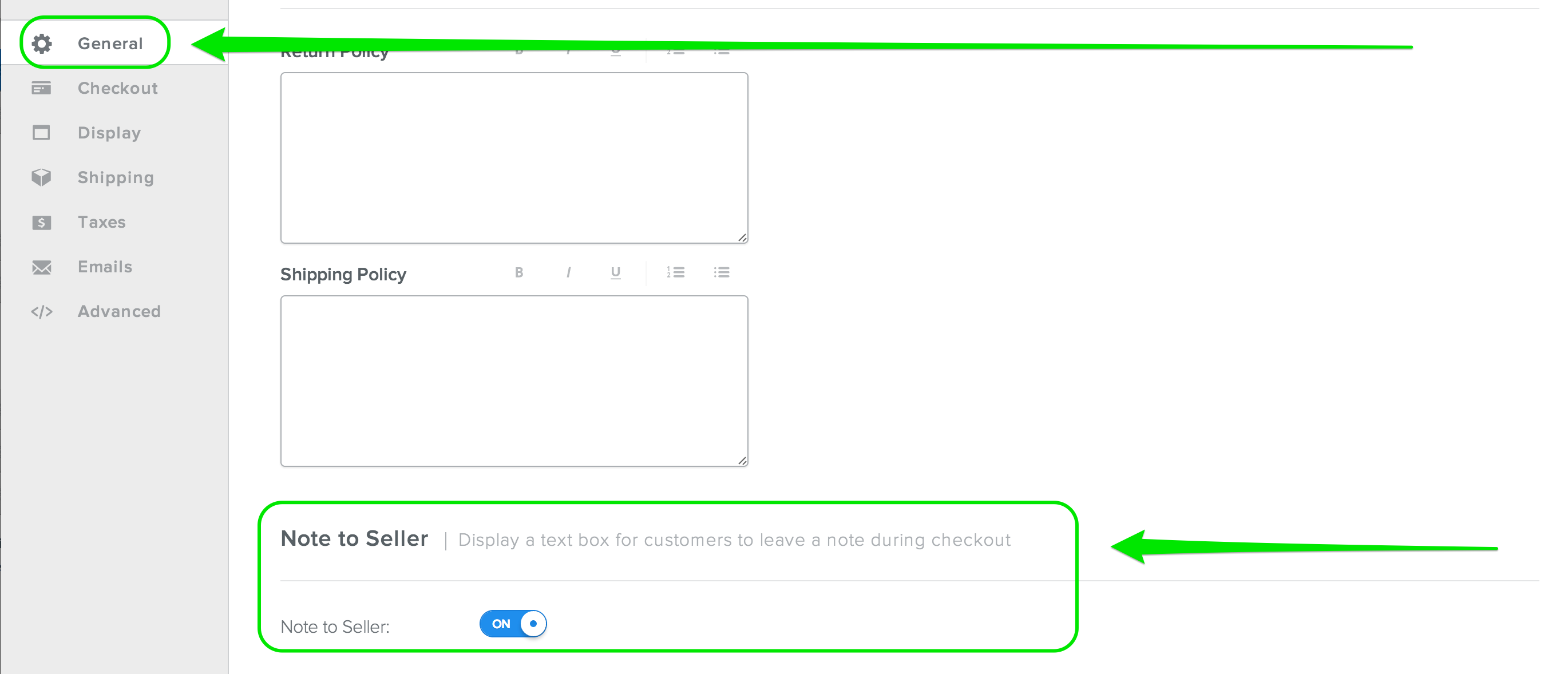
The Note to Seller on/off switch is found at the bottom of the General section of your Store Settings. Turn that On, Save your Settings, and the next time you Publish your site your shoppers will be able to leave you a note.