You can present a number of different shipping options to customers based on their location, the amount of money they're spending, and the total weight of their order. Shipping controls can be found in the Shipping section of your Store Settings.
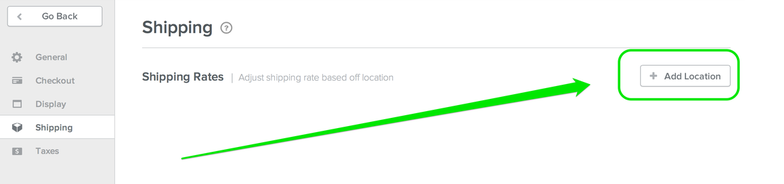
Add a Location to get started.
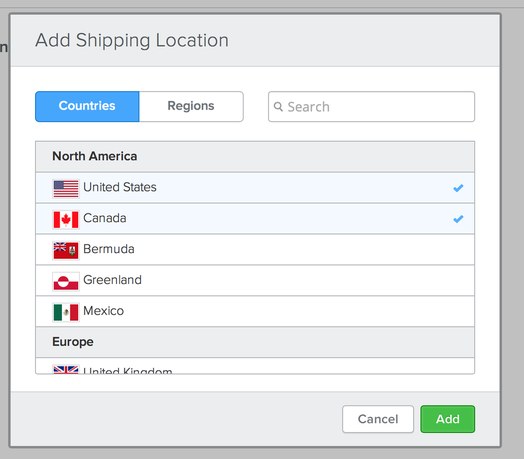
This opens a dialog box where you can select individual countries or even entire continents / regions. You can setup different shipping options for each country / region you select and customers only see the shipping options that apply to their location when they checkout.
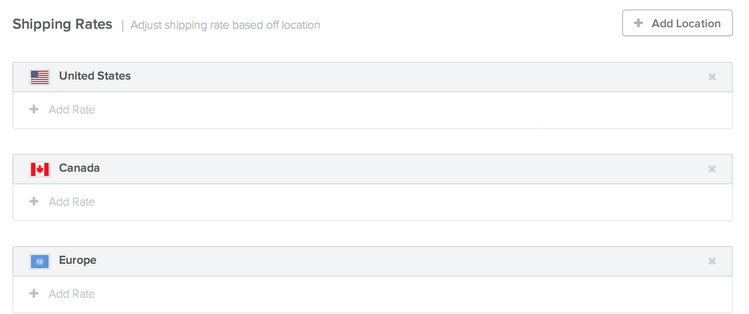
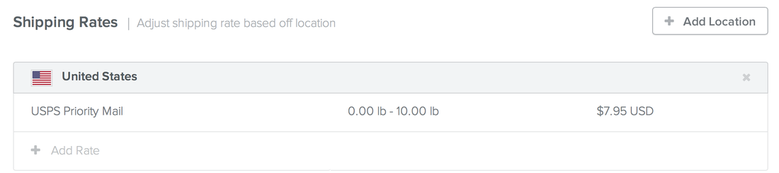
The page will look something like this after you've added locations. Add Rate to start adding different shipping options.
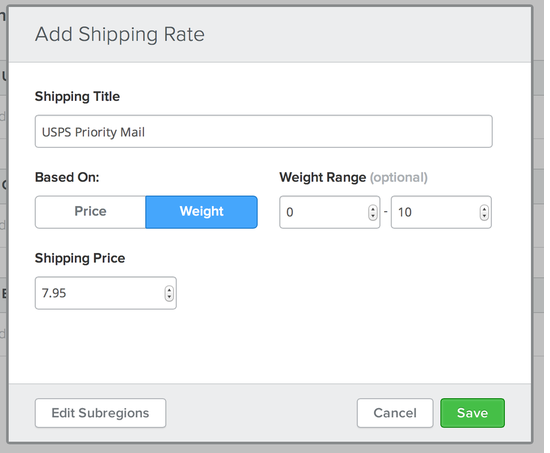
When you Add a Rate, you provide it a title like USPS Priority Mail or FedEx overnight, determine if the price of shipping is based on the total price of the order or the total weight of the order, and then set the price itself.
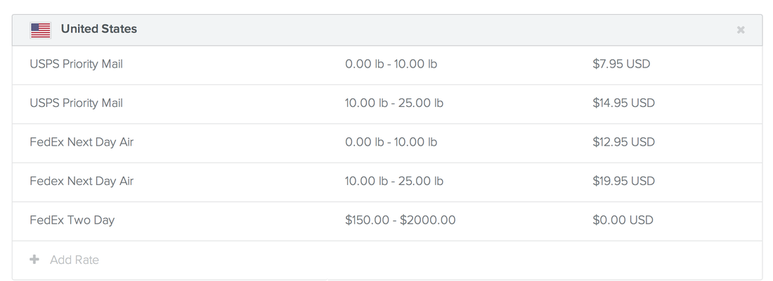
In this example we've set up shipping for USPS Priority Mail that costs $7.95 if the weight of the order is between 0 and 10 pounds.
Saving this has created our first shipping option for customers in the United States, and any customer who checks out with a total order that weighs less than 10 pounds has at least one way to have their product shipped.
What about customers who submit orders weighing more than 10 pounds? We need to Add a Rate for them.
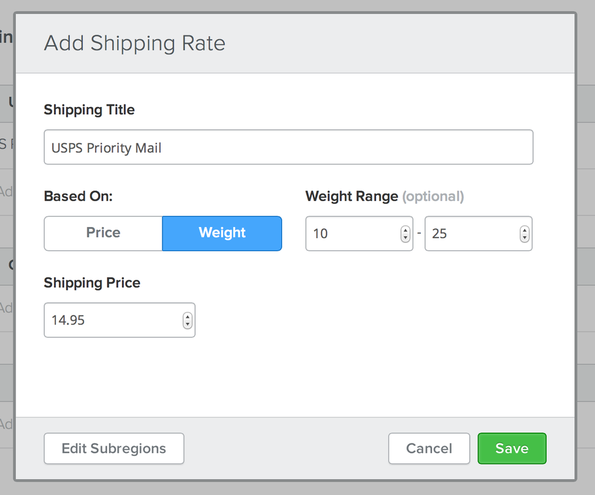
You can add as many different rates and options to each country or
region as you need. And even provide free shipping options for customers
who spend over a certain amount of money with you.
Customers will only see the selections that apply to them based on their location and if their order matches the price or weight rules that you created.